


Why download and sign up for the app? It’s the best way to stay informed and maximize our time together in Las Vegas:
- Access the agenda, so you don’t miss a session.
- Review speaker bios & materials.
- Network with other attendees.
- Post your updates and participate in giveaways.
- Stay up to date with the latest conference news.
- Take part in polls.
- Connect with our amazing exhibitors and sponsors.
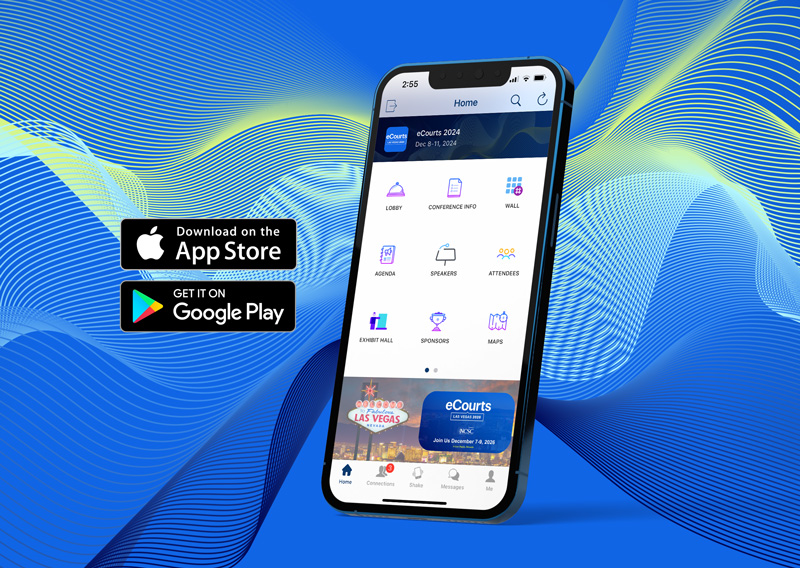
eCourts 2024 may be over, but attendees can access speaker information and presentation decks via the app.
Simply log in to the desktop version of the app using the same email and password as the mobile app.
How to Get the App
- Go to the app store of your choice, download, and install the ‘NCSC Meetings and Events’ app on your iOS or Android device.
- New users will need to provide an email address that you registered with to create an account.
- If you have the app already, simply find eCourts 2024 and go to step 3.
- Once the app is installed, open it and browse eCourts 2024. Tap “Join.”
- After tapping “Join” you must use the same email you used during registration.
Once you’re in, filling out the profile will help you connect with other attendees and exhibitors during the event. Remember: Everything is on the app, and conference coordinators will use it to push out important information before and during the conference.

Need Help?
If you need technical assistance or have any questions, please feel free to stop by the registration desk during the conference or reach out via email to conferences@ncsc.org.
Stay informed
Excited to learn more about eCourts 2024?
Be the first to know about the latest news on education topics, registration, and more. Sign up for emails to receive these updates straight to your inbox.
Stay informed
Excited to learn more about eCourts 2026?
Be the first to know about the latest news on education topics, registration, and more. Sign up for emails to receive these updates straight to your inbox.